Selenic Orders · Pricing
Every feature, one price per tablet
Give every rep your whole catalogue, each customer’s own prices and a signed order at the counter, for under £1 a day per tablet on the yearly plan. No tiers, no setup fee, and nothing held back.
Monthly
£35per tablet
a month
Pay as you go. Cancel any time.
- Every feature, on every tablet
- Unlimited products, customers and orders
- Works with no signal
- Updates and email support
Yearly Best value · 2 months free
£350per tablet
a year
Works out at £29.17 a month, paid once a year.
- Every feature, on every tablet
- Unlimited products, customers and orders
- Works with no signal
- Updates and email support
Set the number of tablets at checkout, and change it later from your account. Secure payment by Stripe. By subscribing you agree to the subscription terms.
Why reps and their offices like it
What a tablet gets you
-
Orders taken at the counter
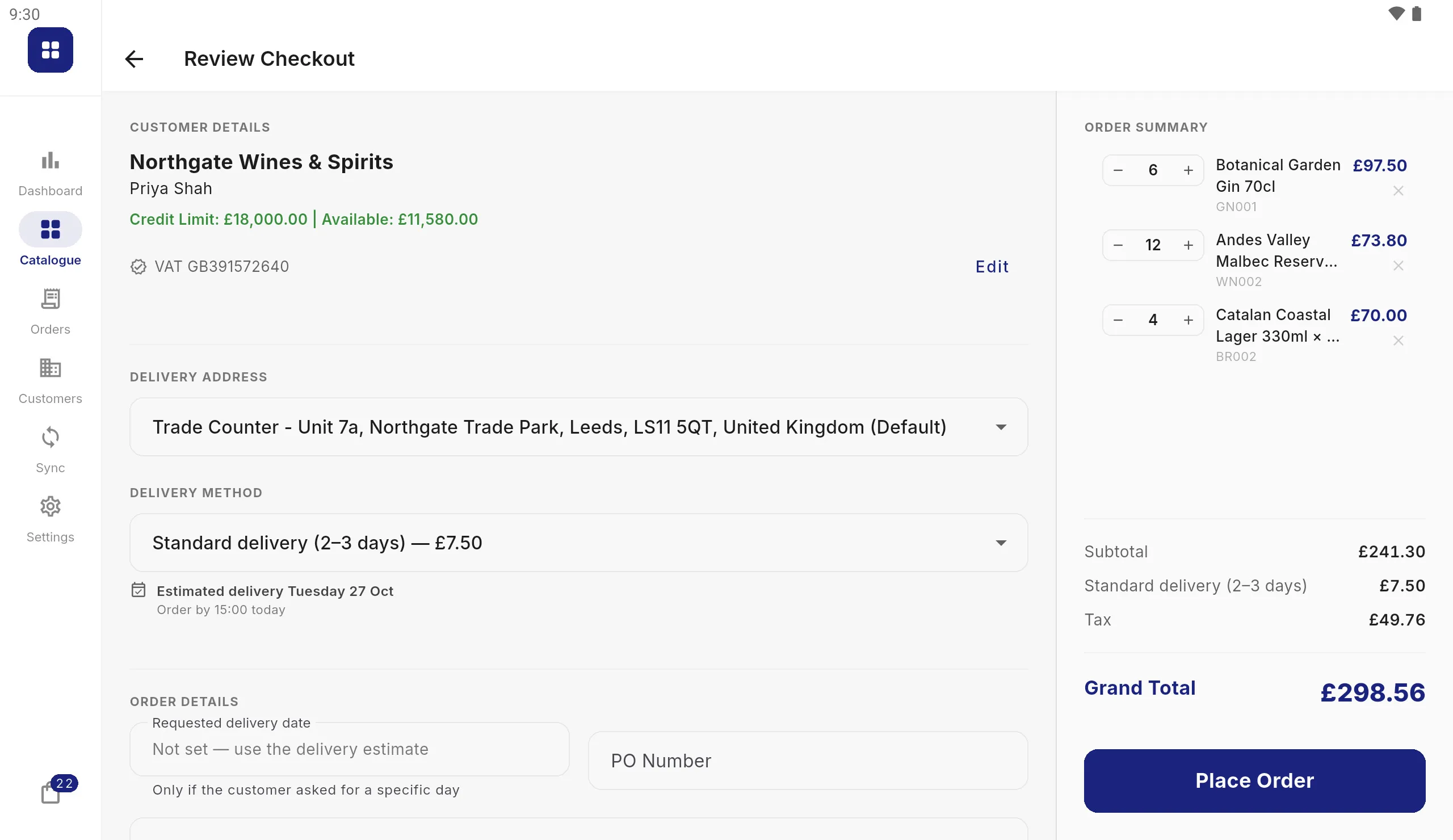
Reps build the order with the customer, at that customer’s own prices, and get it signed on the screen. No order pad to retype back at the office.
-
The right price every time
Price lists, volume breaks, sale prices, promotions, tax and credit limits are worked out as the order is built, so what the rep quotes is what you invoice.
-
Works where the signal doesn’t
The whole catalogue lives on the tablet. Cellars, warehouses and rural customers are no problem; orders go at the next sync.
-
Fits the system you already run
Your ERP exports products, customers and prices as CSV, JSON or XML, and orders come back in the format it expects. No new back office to learn.
-
Your data stays yours
Tablets sync with your own folder or FTP or SFTP server, and can send orders to your Google Drive. Your catalogue, customers and orders never pass through us.
-
No setup fee, no long contract
Pay per tablet, monthly or yearly, from one tablet up. Nothing is sold as an add-on: sending orders, price lists and every other feature are included. Add a tablet when you take on a rep, remove one when you don’t need it, and cancel any time.
Getting going
Up and running in three steps
-
Try the demo
Install the app free from Google Play and choose “Show me how it works” to take an order on a sample wholesaler.
-
Subscribe
Pick monthly or yearly and set how many tablets. Your licence key arrives by email within a minute or two.
-
Connect your data
Enter the key on each tablet and point it at your ERP’s files. The setup checklist walks you through it.
Already a customer?
Manage your subscription
Add or remove tablets, change how you pay, download invoices, or have your licence key emailed to you again.
Frequently asked questions
Can we try it first?
Yes, and without paying. Install the app from Google Play and choose "Show me how it works" to load a sample wholesaler: take an order, have it signed and print it. Subscribe when you are ready to load your own catalogue.
How do we choose the number of tablets?
Set the quantity at checkout to the number of tablets your reps will use. You can add or remove tablets later from your account; an added tablet can be used straight away.
What happens after we pay?
Your licence key is emailed to the address you paid with, usually within a minute or two. Enter it once on each tablet in Settings › Licence.
How can we pay?
By card at checkout. Renewals can be switched to Bacs Direct Debit from your account if you have a UK bank account. Payments are handled by Stripe; we never see your card or bank details.
Can we cancel?
Any time, from your account. The tablets keep working until the end of the period you have paid for. The subscription terms have the details.
Do we need a server?
No. Your catalogue, customers and orders never pass through us. The tablets sync with your own folder or FTP/SFTP server (Google Drive can receive orders too), and check in with us only to keep each tablet's licence current.